
The modern classroom is most effective when all learners are enabled to participate—and particularly in special-education contexts, this is even truer. Interactive SMART Boards, furnished with careful SMART Board installation, provide teachers with flexible, multisensory pathways to reach students who learn in different ways.
SMART Boards combine solid software and solid hardware to create interactive lessons that have a sense of shared experience that feels more inviting than imposing. SMART Boards also cut down on the amount of prep time, allowing teachers to focus on developing relationships rather than wombs of paper handouts. Click this link for more information.
Assistive Technology Tools
The board’s accessibility features go far beyond simple touch input, acting like a personalized toolkit for every kind of learner.
- Alternative input options: The interactive flat panel display reads taps, drags, stylus caps, and switch devices, so students with fine-motor challenges can still interact.
- Audio descriptions on demand: Built-in screen readers voice text and menu items, and teachers can slow the speech rate to aid processing.
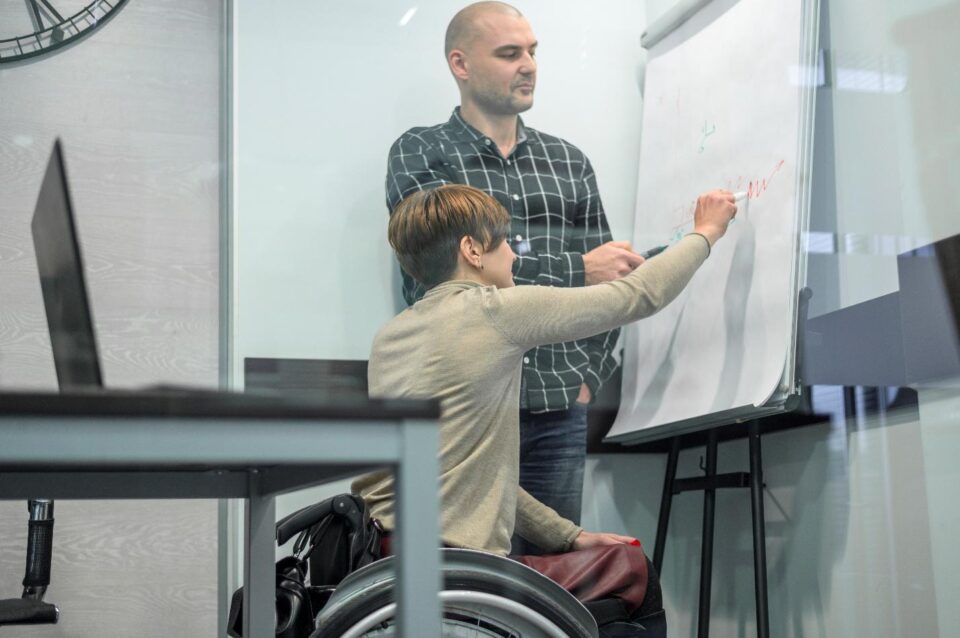
- Height-adjustable stands: During digital whiteboard setup, technicians often mount the board on a motorized lift so wheelchairs roll right up and standing breaks stay safe.
- Live annotation and magnification: Passages enlarge, distracting lines disappear, and highlights pop in seconds, giving every learner a personal visual aid.
- Peripheral pairing: Eye-gaze cameras and adaptive keyboards plug straight into a front USB panel, turning the board into an assistive-tech hub.
When these features work together, the board becomes the room’s universal remote—one place where every student finds a way to participate.
Inclusive Classroom Strategies
Inclusive practice thrives when teachers can pivot quickly. With a few taps, they swap whole-group slides for small-group stations, launch virtual manipulatives, or play short social stories without losing momentum.
Embedding simple teaching strategies such as think-pair-share or timed turn-taking is easier because the board’s timer, spotlight, and random-name picker are always on hand. Visual timers cut anxiety about waiting, while name pickers coax reluctant speakers to join in. Daily use of classroom technology integration reduces downtime, keeps transitions calm, and models respectful device handling for everyone.
How Do SMART Boards Aid Sensory Learning?
Many students with sensory-processing differences need predictable input. A board can dim brightness, lower audio, or freeze an image with one tap, preventing overload when lights flash or volume spikes.
Teachers offer tactile exploration by switching on pen and brush tools that create virtual textures without mess, letting students “feel” sand or paint through sight and sound. Wireless screen sharing means learners use tablets at their desks while the large display mirrors their work, reducing crowding that can trigger anxiety. A neat cable run during interactive flat panel display installation hides visual clutter and removes dangling cords that might distract detail-focused learners.
Because the board supports multi-touch, groups can build sensory collages together, blending colors and sounds into a calming art activity.
Visual Supports for Learners

Visual schedules, first-then boards, and behavior charts anchor many special-ed classrooms. With SMART Notebook or Lumio templates, teachers build reusable visuals that resize instantly.
Color-coded icons appear at the start of each day and shrink when an activity ends, giving students a clear sense of progress. During reading, educators layer picture symbols over text or drag photos of real objects onto word cards, reinforcing meaning without printing endless materials. Touchscreen classroom technology delivers crisp images even from the back row. Quick-draw shapes let teachers sketch social-emotional cues, and saving each day’s board as a PDF ( https://en.wikipedia.org/wiki/PDF) creates an easy-share resource for caregivers.
Adaptive Lesson Design
The board’s software and data tools make it simple to customize instruction on the fly; the points below show how that plays out in practice.
- Branching pathways: One file can hold leveled tasks—tap a green checkmark for extension work or a blue circle for extra modeling—so learners move at a comfortable pace.
- Data-rich feedback: After class, software exports interactions, showing who solved a puzzle, who asked for hints, and who tapped “help,” flagging trouble spots early.
- Rapid revisions: Because slides update in seconds, teachers adjust font size or swap images during a planning bell instead of reprinting materials.
- Professional development: Districts often partner with an educational technology vendor to train staff on scripting conditional reveals and embedding audio cues, ensuring new teachers pick up design skills quickly.
These practices convert a static slideshow into a living lesson that adapts as soon as a learner needs support.
Conclusion
When interactive SMART Boards are installed intentionally, with continuing coaching of the school and teacher in mind, special-education teachers can respond to all learners’ abilities. From adjustable hardware to software that is sensory-friendly, engages students, promotes independence, and encourages fun and enjoyment.
Students learn to request settings that support their individual focus (sight lines, glare, sensory friendly brightness, etc.), and teachers are able to obtain accurate data in support of their individualized plans. As schools become more serious about inclusion, the collaboration between this skilled installer, and educators that employ compassion and generosity will continue to transform blank, white walls into collaborative canvases for any student to be successful.
